
WP2Shell is basically a backdoor script that attackers plant on vulnerable WordPress sites to gain remote access.
Among various backdoor types out there, it’s one of the most common ones found during malware cleanups today. Outdated plugins and unpatched files are behind most of these infections on WordPress installs.
If your site suddenly slows down or shows admin activity you don’t recognize, that’s a probable sign of trouble. And you need to know exactly how WP2Shell gets planted in the first place. WP Guard handles backdoor detection daily, so our take on stopping WP2Shell might help you out.
We’ll start by breaking down what WP2Shell actually is and how attackers plant it. Then we’ll cover why it’s tough to catch without proper monitoring. Here we go.
What Is WP2Shell, and Why Do WordPress Sites Keep Getting Hit?
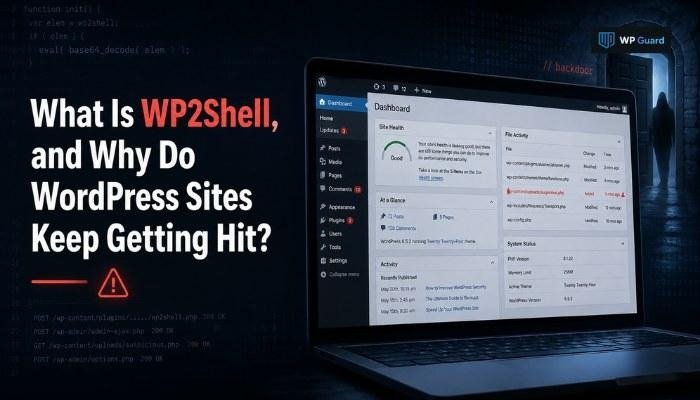
As we’ve already mentioned, WP2Shell is a backdoor exploit that gives attackers hidden, remote access to a WordPress site. Once installed, it acts like a secret door attackers can walk through anytime, even after you’ve patched the original vulnerability that let them in.
It usually gets planted through weak plugins, reused passwords, or files nobody bothered to update in months. Since WordPress powers more than 40% of websites, it remains a constant target for bots running automated scans around the clock.
That kind of reach also means one careless install can put a whole site at risk. And attackers don’t need to pick a target by hand. They just wait for a scan to find an open door on any given website.
How Attackers Plant This Backdoor on Vulnerable WordPress Installs
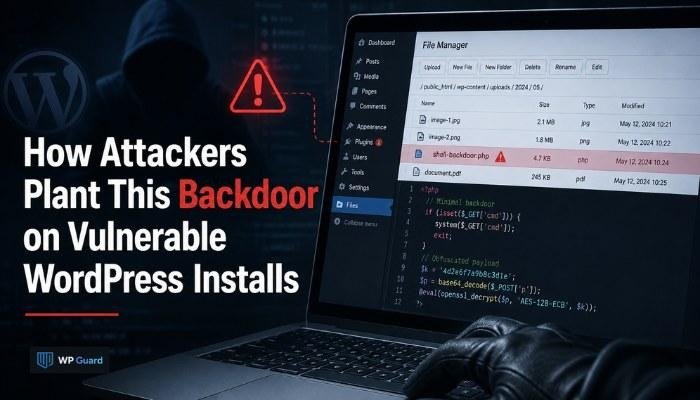
Most of the time, attackers exploit outdated plugins or weak passwords to slip the script in. Apart from that, they also scan thousands of sites daily looking for known vulnerabilities nobody’s patched yet.
Once inside, they drop a small file disguised as a normal WordPress plugin or image. This file then gives them a lasting way back in, even after the original hole gets closed.
Now let’s break down the three most common ways this actually happens.
Outdated Plugins Open the Door
Plugins that haven’t been updated in months often carry known security issues attackers actively target.
Say, a bug that got patched in version 2.4 stays wide open on any site still running 2.1. Attackers know this weakness and build automated tools specifically to hunt for those old version numbers.
Even one abandoned plugin can give an attacker a way into an otherwise secure WordPress installation. So if you’ve got fifteen plugins running and only check on ten of them, that gap is exactly where trouble tends to start.
Weak Login Credentials Give Attackers a Way In
Simple or reused passwords let bots brute-force their way into the WordPress admin dashboard. A password like “admin123” can get cracked in under a minute using tools built for exactly that job. And once bots gain entry, they don’t need to search for a way in. They already have one.
After logging in, attackers can upload malicious code straight through the theme or plugin editor this way. From there, they can create new admin accounts, plant hidden files, or hand off access to someone else entirely.
Unpatched Core Files Leave Known Gaps
WordPress releases security patches often, but sites running old versions stay exposed to known vulnerabilities. Even a delay of a few weeks can leave a documented flaw sitting wide open for anyone scanning for it.
Attackers specifically target installs that skip updates for weeks or months at a stretch. Since these gaps get published publicly after discovery, waiting to patch basically hands attackers a roadmap to your server.
The Technical Details Behind a Hidden Shell Script
The first thing to know is that a shell script is a small file that lets an attacker run commands on your server remotely. It’s almost like handing them a keyboard plugged straight into your site.
WP2Shell scripts often get disguised with normal-looking file names to dodge detection during manual checks. A file called “wp-cache-helper.php” looks harmless sitting next to hundreds of other WordPress files. But it could be running commands in the background the entire time.
After activation, the code can create new admin users, pull data from your database, or send information to a remote server. Instead of sitting quietly, it works around the clock, copying files and rewriting permissions without anyone noticing.
Why This Exploit Is So Hard to Catch on Your Own
Most infected site owners have no idea anything’s wrong until the rankings start dropping. They only check for visible problems like crashes or defacement, which means infections stay unnoticed for weeks. Shell scripts run quietly in the background without slowing the site down or triggering clear warning signs.
On top of that, technical details like file timestamps and permission changes rarely get checked unless you’re specifically looking for them. Manual file review takes hours because of this, and it still misses cleverly disguised or encoded code.
Fortunately, deep scans solve that gap. As they’re built to identify unfamiliar files and unusual admin activity, they flag security issues that a glance would completely miss.
See also: The Rise of AI-Powered Business Solutions
Can a Single Day of Neglect Really Lead to a Full Compromise?
Yes, a single day without monitoring is sometimes all attackers need to plant a backdoor. Automated bots scan and exploit known vulnerabilities within hours of a plugin flaw going public, long before most site owners even hear about the patch.
Here’s how fast things can move once a flaw gets discovered:
- A vulnerability gets published, and bots start scanning for it within hours.
- Sites running the unpatched plugin get flagged as easy targets for attack.
- A backdoor gets planted before the site owner applies the patch.
- Delayed detection gives attackers more time to expand access unnoticed.
By the time a hacked site shows any wrong signs, the attacker may already have several days of unnoticed access behind them.
Now that you know how WP2Shell gets in, here’s what stops it before damage spreads.
What Real WordPress Exploit Detection Looks Like
Real detection means running scans that catch file changes as they happen. A tool built for this job checks your entire WordPress installation on a set schedule instead of waiting until something feels off.
WP Guard flags unfamiliar files and unusual admin activity that manual checks typically miss entirely. Instead of waiting for a site to act up, it gives you instant access to alerts the moment something looks wrong on your WordPress website.
Have a quick look below at manual checks versus proper detection tools:
| What You’re Checking | Manual Review | Detection Tool |
| New or changed files | Missed often | Flagged fast |
| Unusual admin logins | Rarely noticed | Flagged in real time |
| Hidden malicious code | Rarely caught | Scanned and identified |
| Time needed per check | Several hours | A few minutes |
If you don’t catch WP2Shell early, attackers can set up multiple backdoors across the same compromised install. That’s the difference between a five-minute fix and a full site rebuild down the road.
Don’t Wait for the Damage to Show
WP2Shell depends on neglect. Sure, it sounds simple, but one outdated plugin or missed update is often all it takes to open the door.
Regular monitoring catches hidden backdoors before they turn into a full site compromise. Think about it this way: a quick scan today beats a full rebuild after attackers have already made themselves at home on your server.
At the end of the day, you should always treat WordPress security as ongoing work, instead of one-time setup task you finish and forget. Stay ahead of it, and WP2Shell never gets the single day it needs to slip in.